 Invoizo
Invoice smarter. Get paid on time.
Make GST invoices in seconds and share them as PDFs on WhatsApp. A free Android billing app for Indian shops, traders, freelancers and service businesses.
Free to use. No ads.
- GST ready
- Works offline
- Data stays on your device
GSTIN 08ABCDE1234F1Z5
| Item | Qty | Amount |
|---|---|---|
| Web development servicesSAC 998314 · GST 18% | 1 | ₹15,000.00 |
| A4 copier paper, 75 GSMHSN 4802 · GST 18% | 10 | ₹2,800.00 |
| Taxable value | ₹17,800.00 | |
| CGST | ₹1,602.00 | |
| SGST | ₹1,602.00 | |
| Total | ₹21,004.00 | |
Rupees twenty-one thousand four only
Pay by UPI: sharmatraders@bankBank A/c XXXX4821 · IFSC ABCD0001234
A sample invoice. The layout in the app depends on the template you pick.
Everything a bill book did, and the sums too
Invoizo keeps your bills, what customers owe and what you have in stock in one place on your phone.
Billing
- GST invoices that do the tax for youCGST and SGST for sales inside your state, IGST for sales to other states.
- HSN and SAC codesOn every line, with units and discounts.
- Bills of supply, credit notes and debit notesFor composition dealers, and for corrections after an invoice has gone out.
- PDF invoicesShare on WhatsApp or email, or print.
- Your UPI ID on every invoicePrinted with your bank details, so customers can pay with any UPI app.
Getting paid
- Receivables at a glanceSee what is paid, pending and overdue.
- Record paymentsPart or full, by UPI, bank transfer, cash or cheque.
- Expenses and receipt scanningPhotograph a bill and the merchant and amount are read on your phone.
Records
- CustomersGSTIN checks, balances and statements you can share.
- Products and stockA catalogue of goods and services with stock counts.
- Export to CSVInvoices, customers and payments, ready for your accountant.
- Backup and restoreSave a backup file to your phone, Google Drive or any files app.
Inside the app
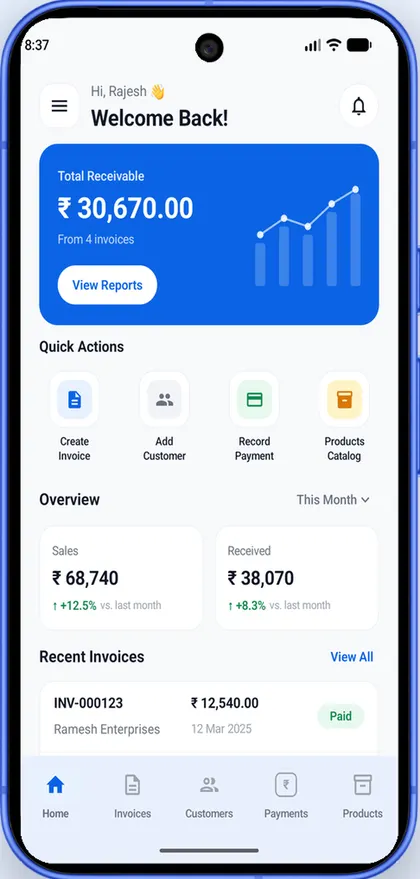
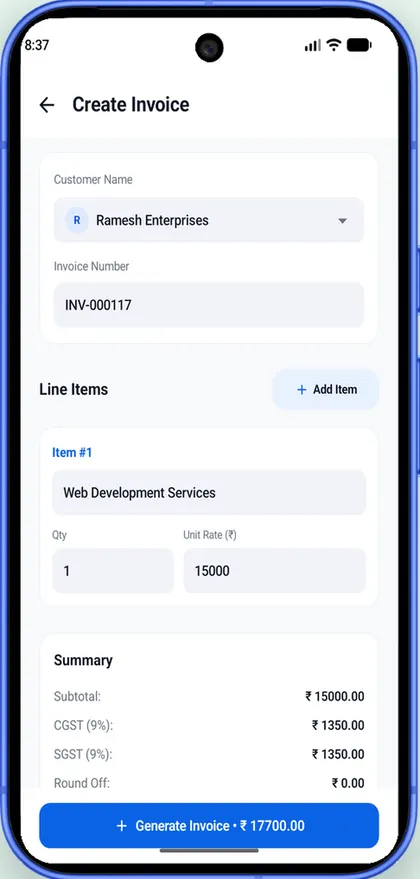
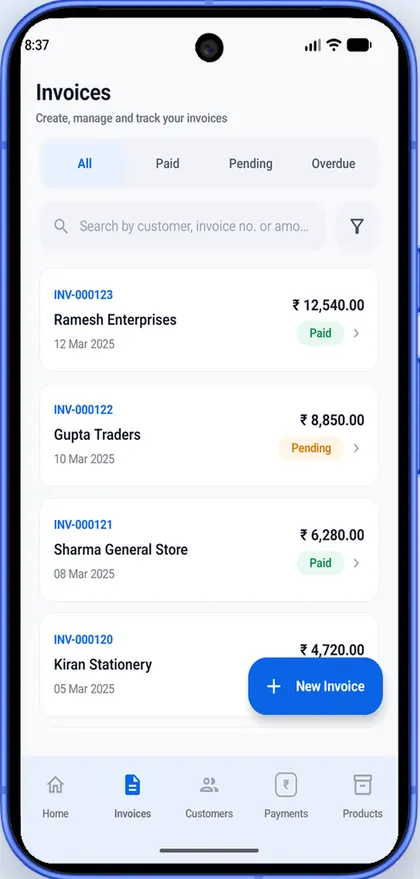
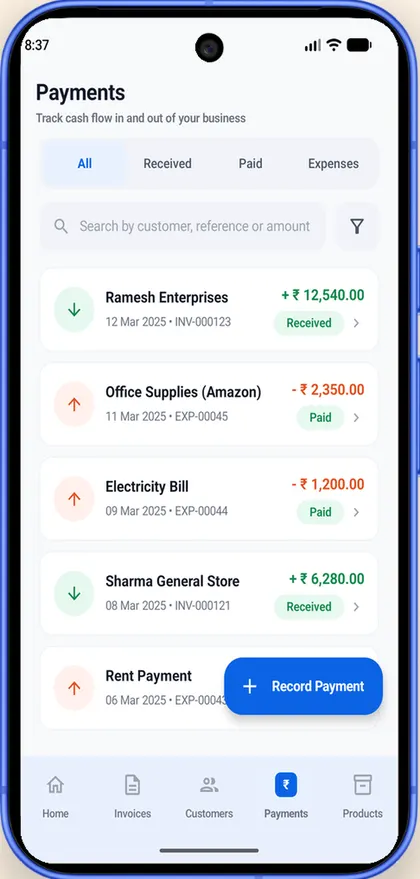
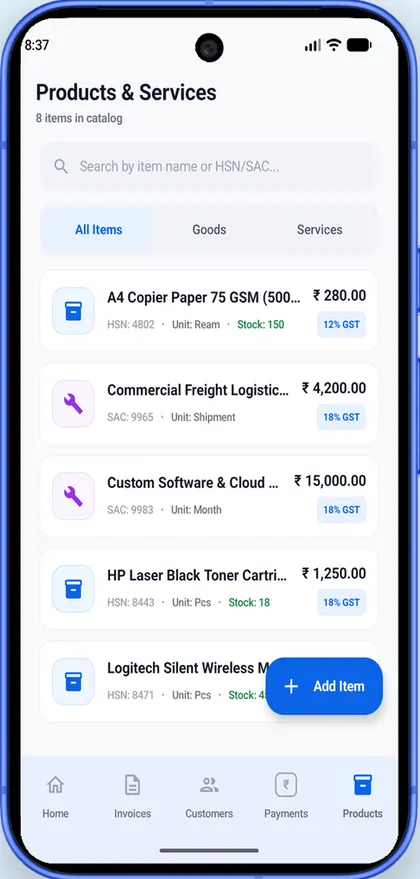
Your books stay on your phone
Invoices, customers, products, payments and your business profile are stored on your device. They are not uploaded to us, and we don't have a copy.
-
Works offlineMake bills with no network. The app needs the internet only to sign in and for things like updates.
-
No ads, no usage trackingNo advertising or analytics SDKs, and we don't sell data.
-
Receipts are read on the phoneReceipt scanning runs on your device with Google ML Kit.
-
Sign in with Google, or explore as a guestNo credit card. Delete your account from the app at any time.
Questions and answers
Is Invoizo free?
Yes. Invoizo is free to download and use. The current version has no ads, no in-app purchases and no paywall, and you don't need a credit card. Optional paid extras, such as more invoice designs, may be added later.
Who is Invoizo for?
Small businesses in India that bill customers: shopkeepers, traders and wholesalers, freelancers and consultants, service providers, agencies and contractors. It works for GST-registered businesses, composition dealers and businesses that are not registered for GST.
Does Invoizo make GST tax invoices?
Yes. It works out CGST and SGST for sales inside your state and IGST for sales to other states, and puts HSN or SAC codes on each line. It also makes bills of supply for composition dealers, invoices without GST for unregistered businesses, and credit and debit notes against an issued invoice.
Can Invoizo generate e-invoices (IRN), e-way bills or file GST returns?
No. Invoizo cannot generate an IRN from the government e-invoice portal, cannot create e-way bills and does not file GST returns. If your turnover means a B2B invoice needs an IRN, the app warns you. You can export invoices, customers and payments as CSV files for your accountant.
Does Invoizo work offline?
Yes. You can make invoices, record payments and look up customers with no internet connection. You need a connection to sign in, and for things like app updates and sending feedback.
Where is my business data stored?
On your phone. Invoices, customers, products, payments, expenses and your business profile are kept in the app's private storage. They are not uploaded to us or to anyone else, and we don't have a copy.
How do I back up my data or move to a new phone?
Go to More, then Backup & Restore, and tap Back up now. Save the backup file on your phone, in Google Drive or in any files app. On the new phone, install Invoizo, sign in, open Backup & Restore and choose Restore from backup. Restoring replaces the data on that phone with the backup.
Can I use Invoizo without a Google account?
Yes. Choose Explore as guest and start billing without signing in. Guest data can't be recovered after you log out, so make a backup from Backup & Restore first if you want to keep it.
Is Invoizo available in Hindi?
Yes. The app is available in English and Hindi. You can pick the language when you first open the app and change it later in settings.
Can my customers pay me by UPI?
Add your UPI ID in More, then Business Profile, and it is printed on your invoices along with your bank details, so customers can pay you with any UPI app. Invoizo doesn't handle the money itself. When a payment arrives, record it against the invoice as UPI, bank transfer, cash or cheque.
Which phones does Invoizo work on?
Android phones running Android 9 or later. Invoizo is coming soon to Google Play.
How do I delete my account?
In the app, go to More, scroll to the bottom and tap Delete My Account, then confirm. This works for Google and guest accounts. If you can't open the app, email invoizo@vivekanand.me with the subject "Delete my account". The delete account page explains what is removed.
In English and हिन्दी
Switch the app language any time from settings. Invoizo is coming soon to Google Play for Android phones.